Charities¶
Source PDF page(s): 25 (of raw/specs/MMS features v2.5.pdf)
User Guide section: §2.4 (of raw/specs/MMS_UserGuide_v2.5.0.0.docx)
Summary: Manage centralized charity records that can be reused across base templates, with the ability to customize settings per template.
Status: shipped
Why¶
Charities are a global data source for terminal templates. Defining them centrally avoids duplication and allows template-level customization. See ../specs/mms-features-v2.5 §4 and ../specs/mms-userguide-v2.5 §2.4.
What¶
- Centralized charity records reusable across base templates.
- Override charity settings per template for company-specific customization.
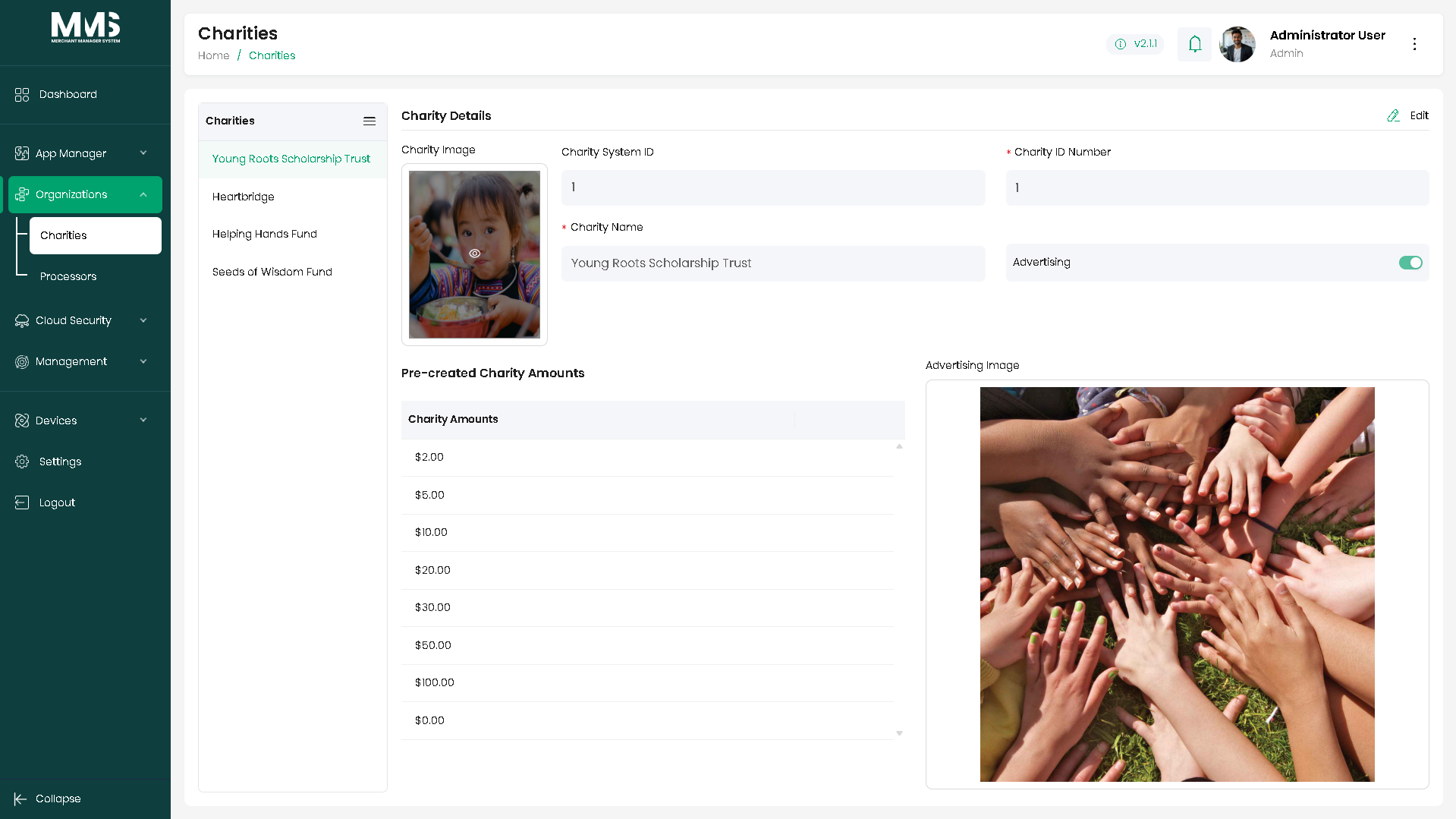
- Attributes: charity name and reference number, donation amounts, images/advertising visuals, advertising enablement.
Steps¶
Create a charity¶
- Navigate to the Charities page.
- View the list of existing charity records in the Charities column.
- Expand the Menu icon and select Add.
- Enter charity information in the Charity Details panel (right side):
- Charity name and reference information.
- Charity amounts (donation values).
- Upload charity images or advertising visuals (optional).
- Configure advertising settings: enable or disable (optional).
- Click Save.
Update or use a charity¶
- Select an existing charity from the list.
- Edit charity information as needed.
- Click Save.
- Reference the charity record within a template — it is used as a global data source and can be overridden per template.
Linked pages¶
- stakeholders — parent overview page
- ../specs/mms-userguide-v2.5 — User Guide §2.4
- ../specs/mms-features-v2.5 — Features doc §4
- app-manager — Charities feed base templates
Screenshots¶
Status history¶
- 2026-05-27 — capabilities ingested from features doc v2.5 (Charities "Completed") → shipped
- 2026-06-03 — step-by-step user guide added from
raw/specs/MMS_UserGuide_v2.5.0.0.docx§2.4; page split fromstakeholders.md