Linked Merchants¶
Source PDF page(s): (not in MMS features v2.5.pdf — first documented in User Guide)
User Guide section: §3.2.3 (of raw/specs/MMS_UserGuide_v2.5.0.0.docx)
Summary: Create and manage Merchant Linked Groups — named groupings of merchants within a location, used to filter and scope device selection in Device Manager.
Status: shipped
Why¶
Some operational workflows require acting on a defined subset of merchants within a location (e.g., assigning devices only to a specific merchant group). Linked Merchant Groups provide a named, reusable grouping mechanism for this purpose. See ../specs/mms-userguide-v2.5 §3.2.3.
This feature was not documented in the features overview PDF. It was first documented in the User Guide v2.5.0.0.
What¶
- Define Merchant Linked Groups — named collections of merchants within a location.
- Groups are created inside the Linked Merchant Filter panel in Device Manager.
- The list of selectable merchants in a group is filtered by Company Group ID.
- Groups are used to scope device selection via device-manager-select-linked-merchant.
Steps¶
Create a Linked Merchant Group¶
- Navigate to the Device Manager page.
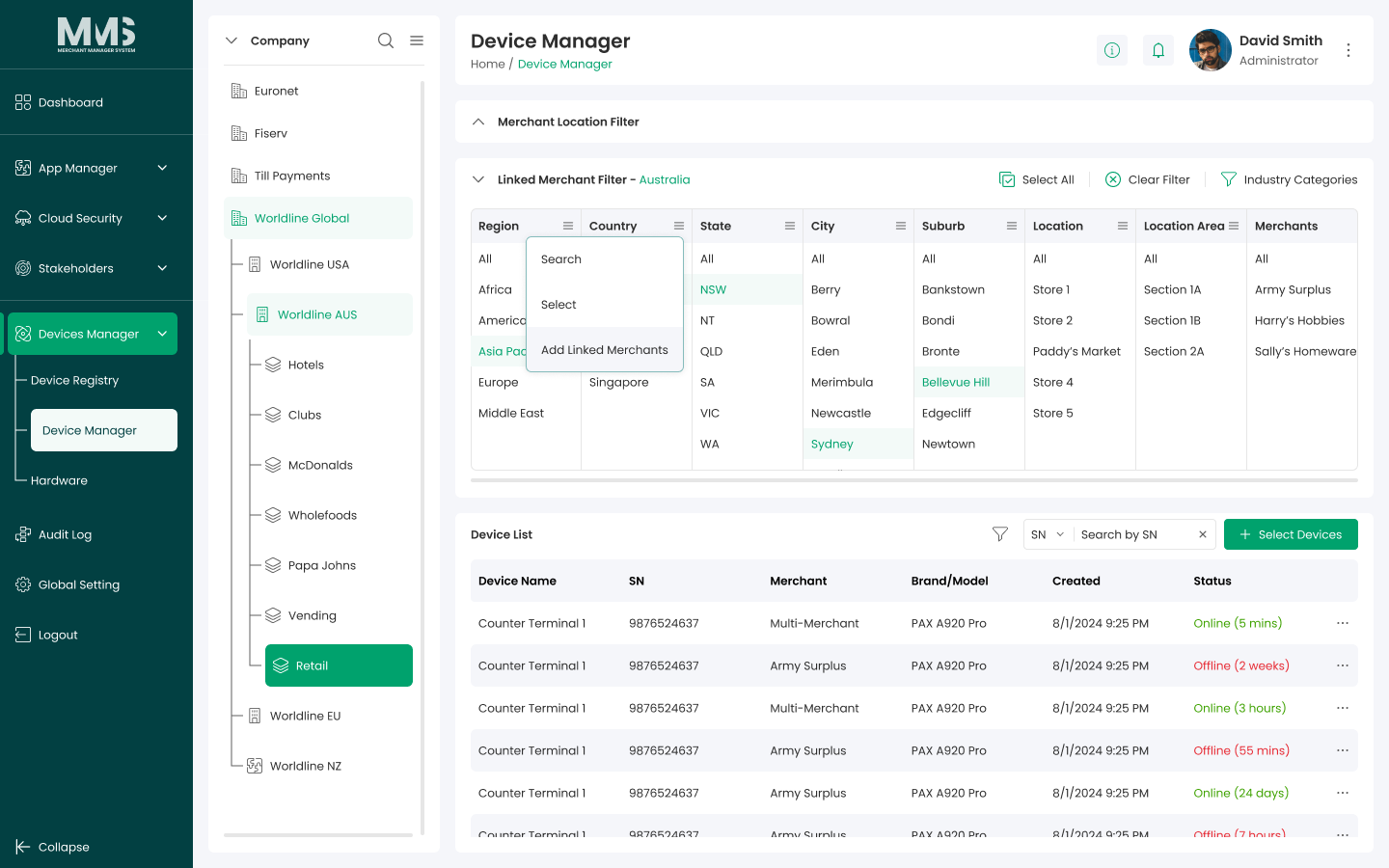
- Open the Linked Merchant Filter panel.
- In the Location Items list, click the menu icon for the desired location.
- Select Add Linked Merchant.
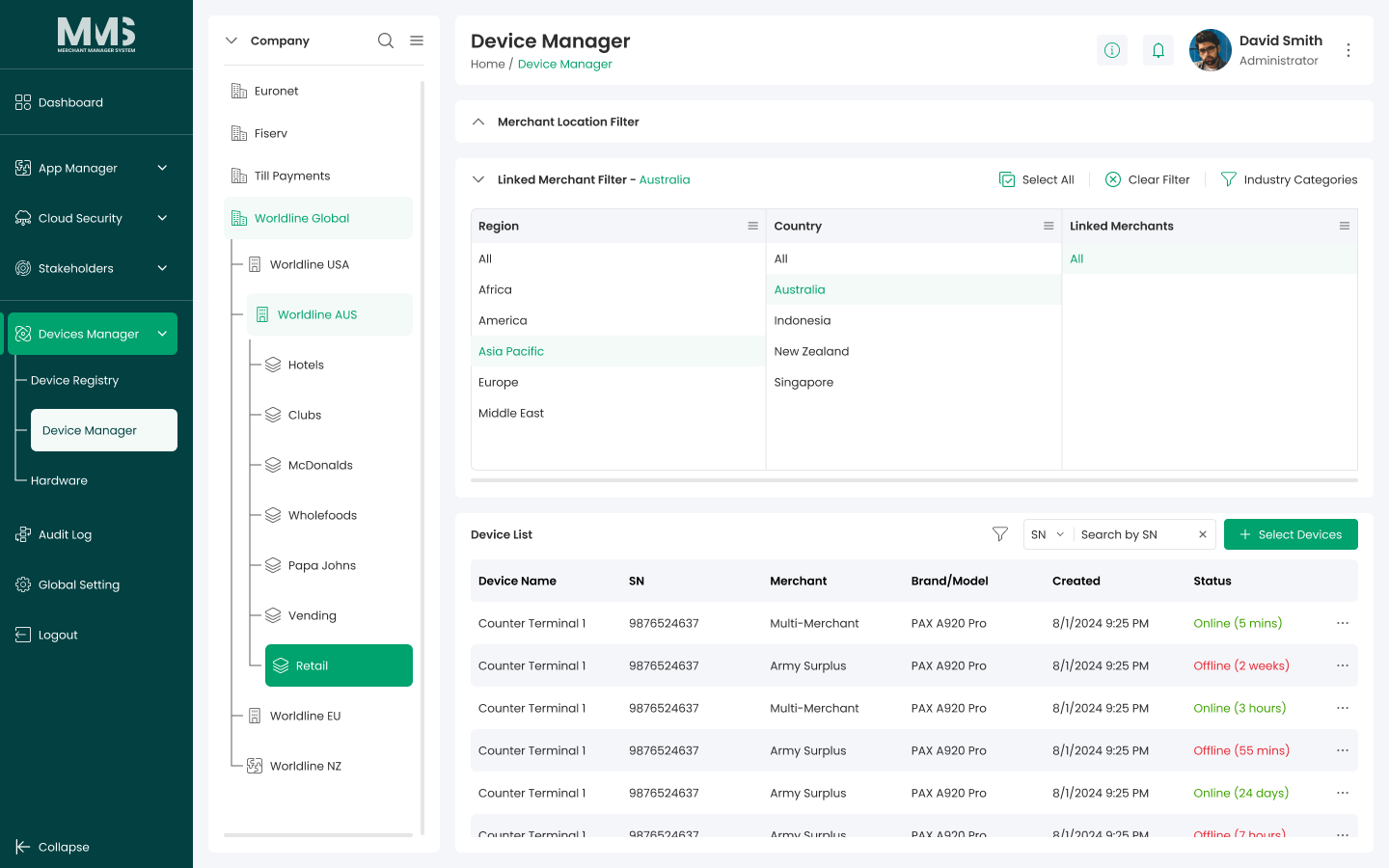
- A Linked Merchant column is created next to the selected location.
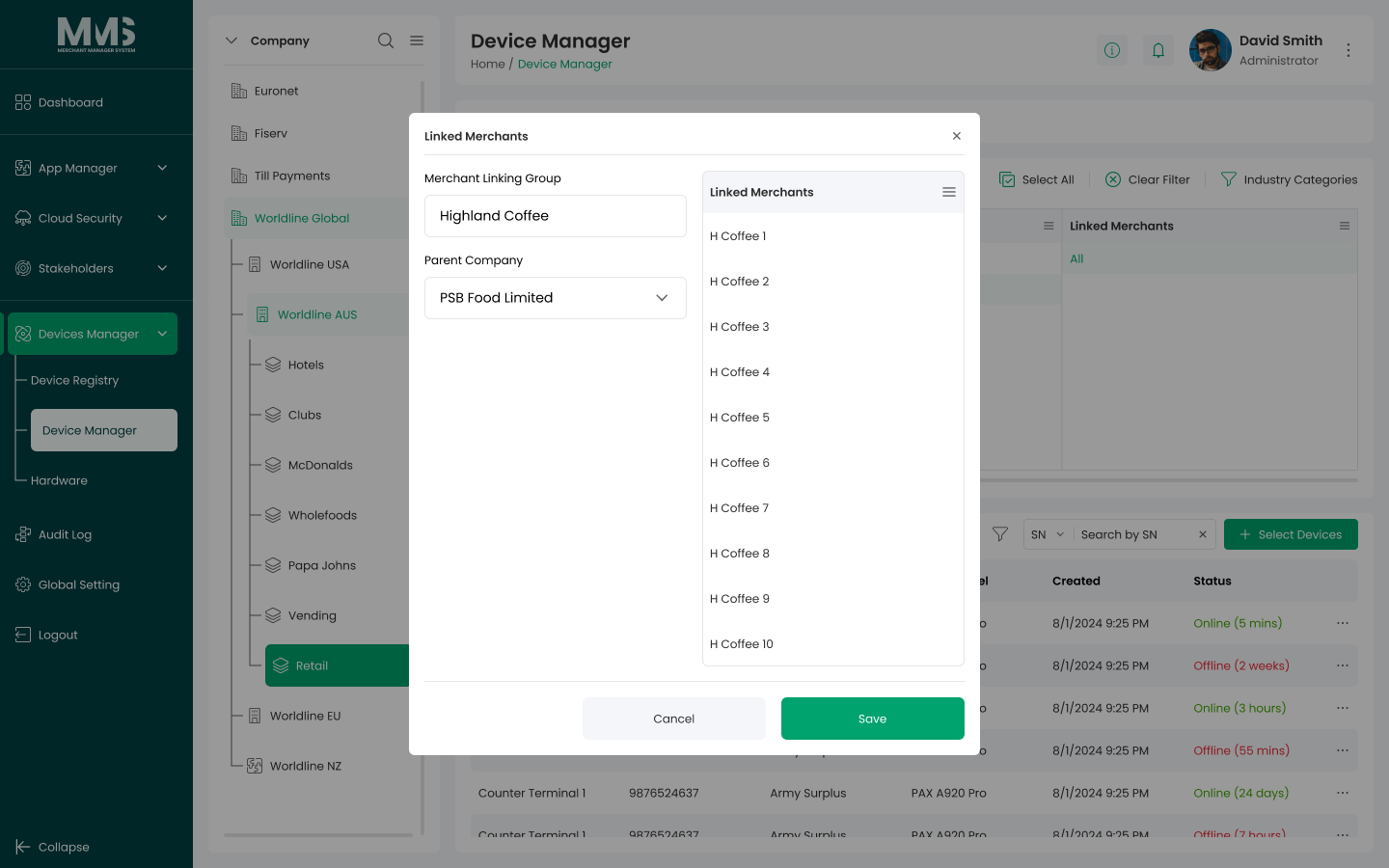
- In the Linked Merchant column:
- Click Add Linked Merchant Group.
- Enter the Group Name.
- Select the merchants to include — the list is filtered by the Company Group ID of the selected location.
- Click Save.
Notes¶
- Merchants available for selection are scoped to the Company Group ID associated with the location.
- Linked Merchant Groups are the basis for the device-manager-select-linked-merchant flow.
Linked pages¶
- device-manager — parent overview page
- ../specs/mms-userguide-v2.5 — User Guide §3.2.3
- device-manager-location-tree — locations that contain linked merchant groups
- device-manager-select-linked-merchant — uses linked merchant groups to scope device selection
- stakeholders-merchant — merchants that are grouped here
Screenshots¶
Status history¶
- 2026-06-03 — new feature; first documented from
raw/specs/MMS_UserGuide_v2.5.0.0.docx§3.2.3; not present in features PDF v2.5