Device Manager¶
Source PDF page(s): 28–49 (of raw/specs/MMS features v2.5.pdf)
User Guide section: §3 (of raw/specs/MMS_UserGuide_v2.5.0.0.docx)
Summary: The terminal lifecycle hub — registers devices, assigns them across the company/location hierarchy, configures them via Device Setup, and maintains the hardware master data they must conform to.
Owner: Martin (project lead — confirm feature owner)
Status: in-development
Mostly shipped; marked in-development because the Location Tree sub-module (Merchant Location Filters) is still in progress.
Delivery map (web)¶
| FE (mms-fe) | BE (cloudbanking) | |
|---|---|---|
| Routes / screens | (to fill) | — |
| API | calls device/assignment/setup endpoints | defines device, assignment, setup, hardware APIs |
| Figma | (to link main Device Manager / Device Setup frames) | — |
| OpenProject | (FE WP ID(s)) | (BE WP ID(s)) |
Why¶
Devices are the core managed asset in MMS. This module registers them, organizes them by company/location hierarchy, and provides the per-device configuration workspace. See MMS Features v2.5 §5.
Sub-pages¶
Each sub-module has a dedicated page with full capabilities and step-by-step guide:
| Sub-module | PDF pages | User Guide | Status | Page |
|---|---|---|---|---|
| Device Registry | p.28 | §3.1 | shipped | device-manager-registry |
| Company Tree | p.31 | §3.2.1 | shipped | device-manager-company-tree |
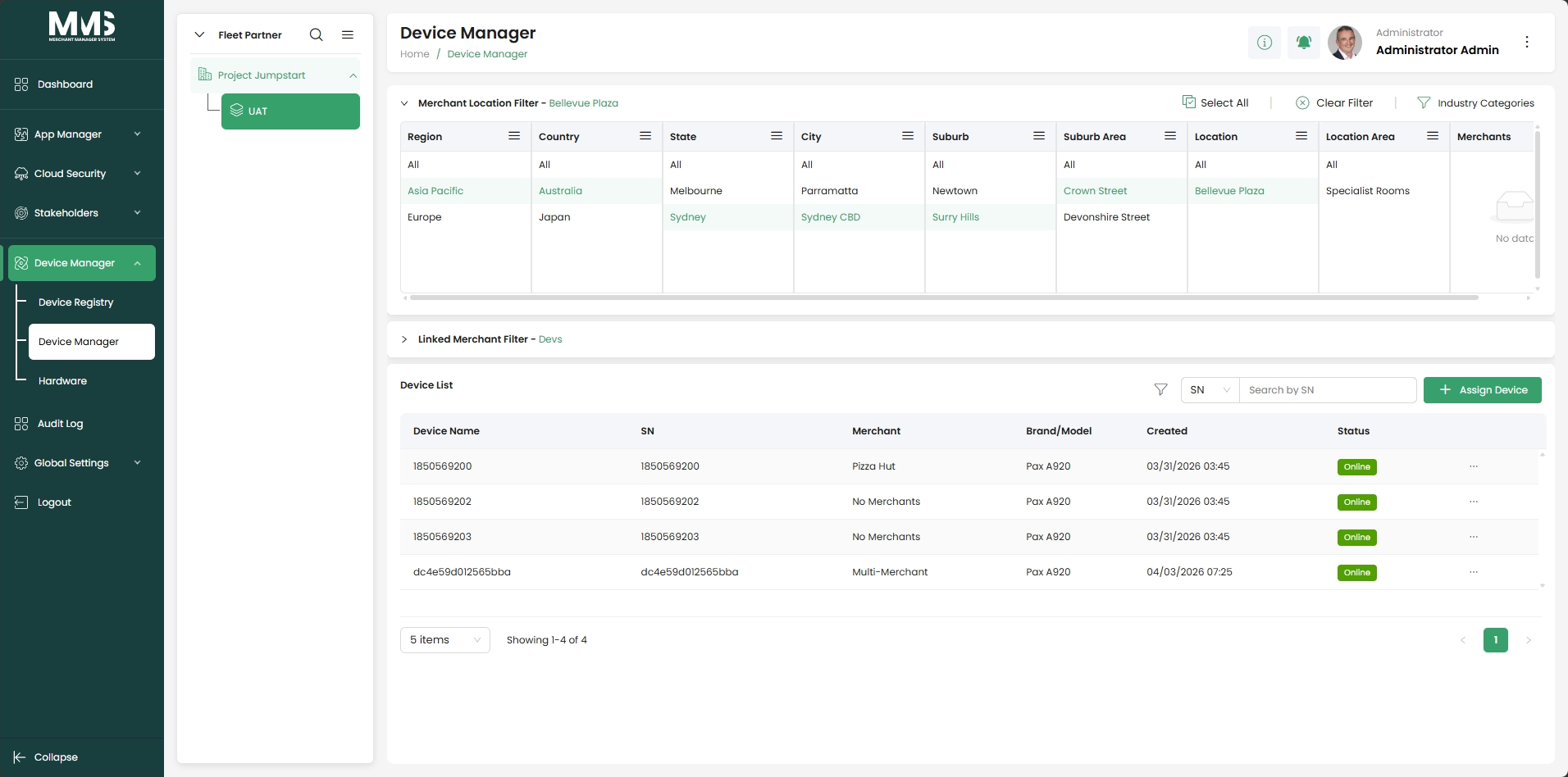
| Location Tree | p.33 | §3.2.2 | in-development | device-manager-location-tree |
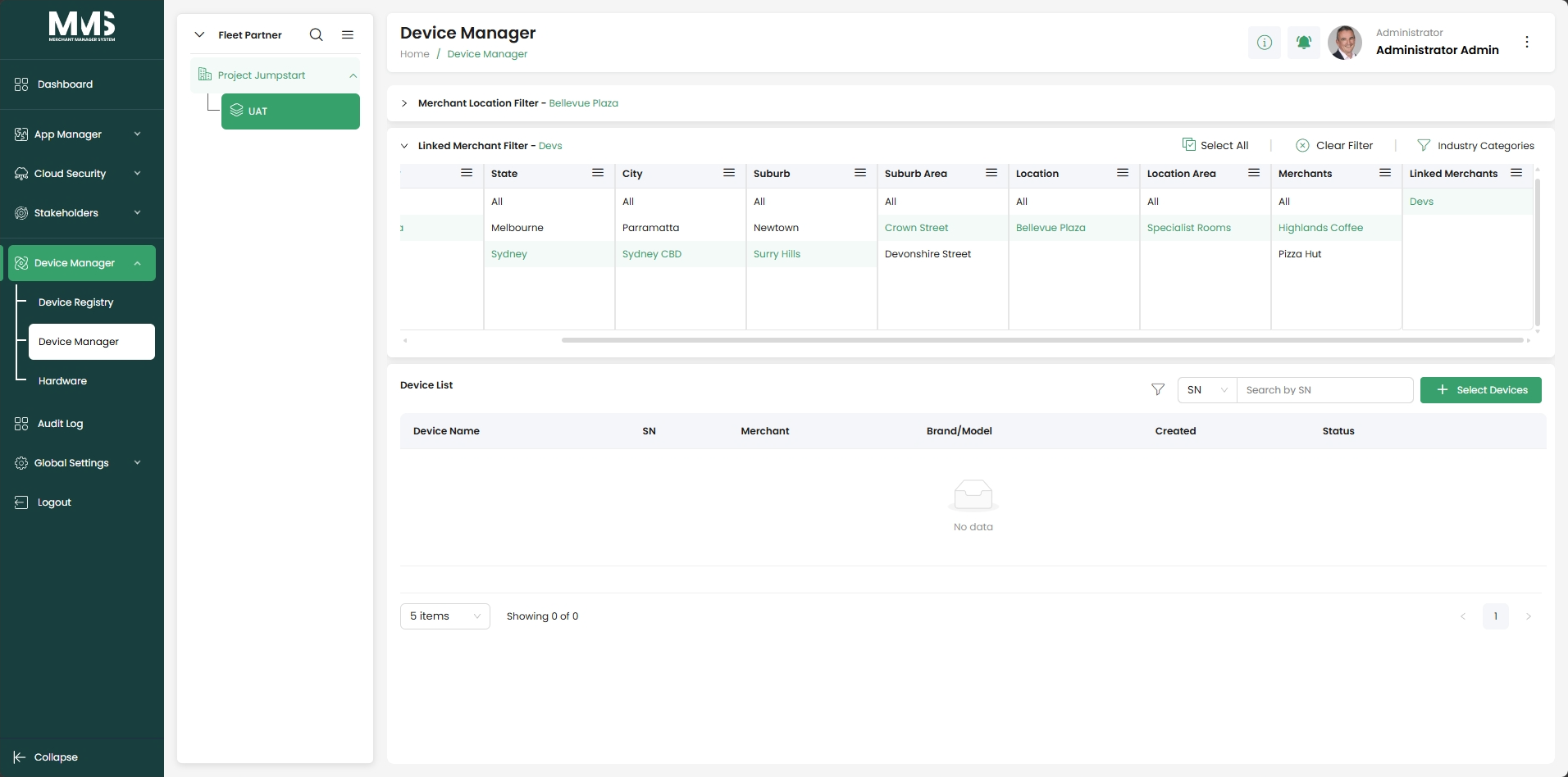
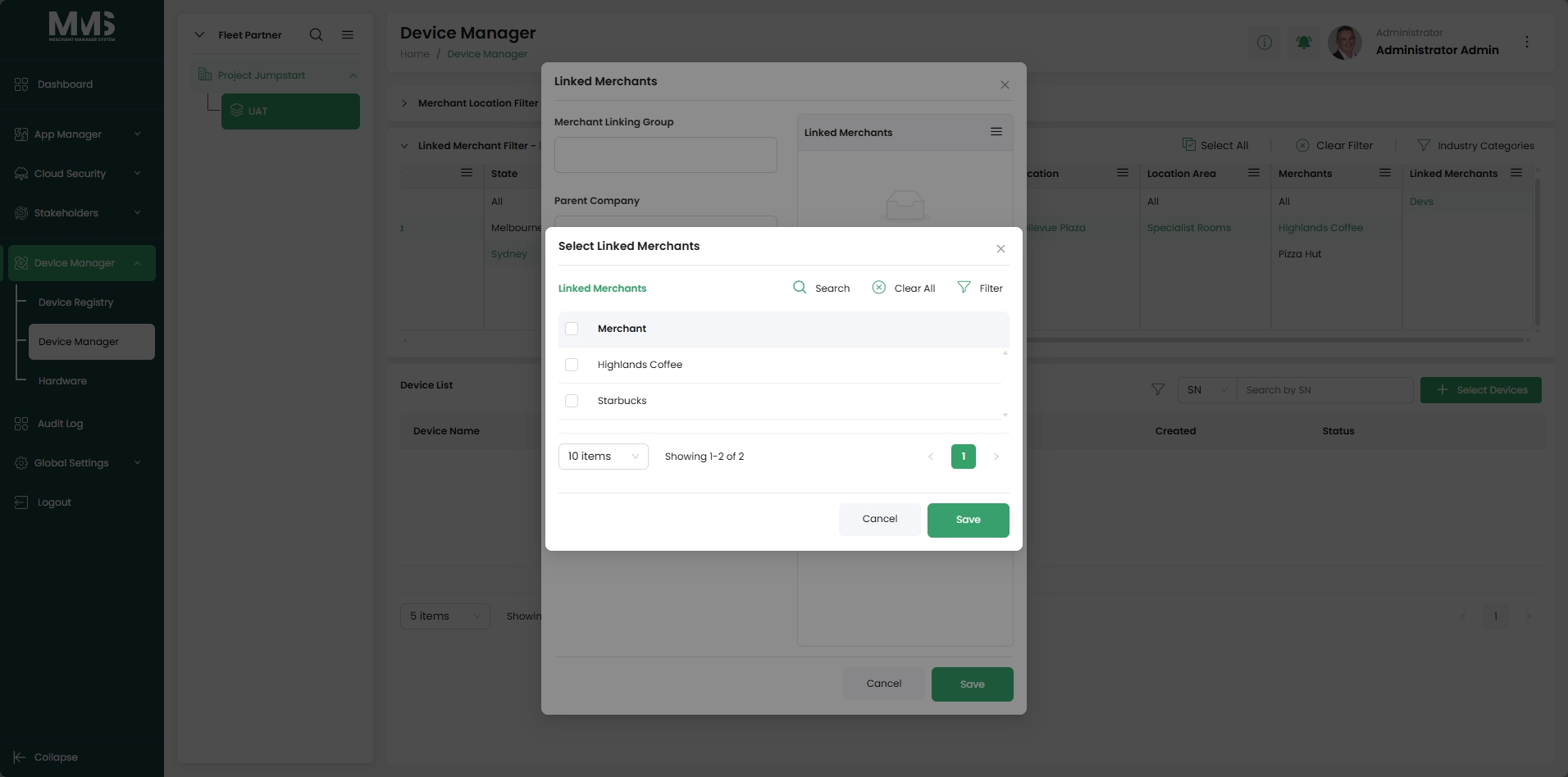
| Linked Merchants | (new) | §3.2.3 | shipped | device-manager-linked-merchants |
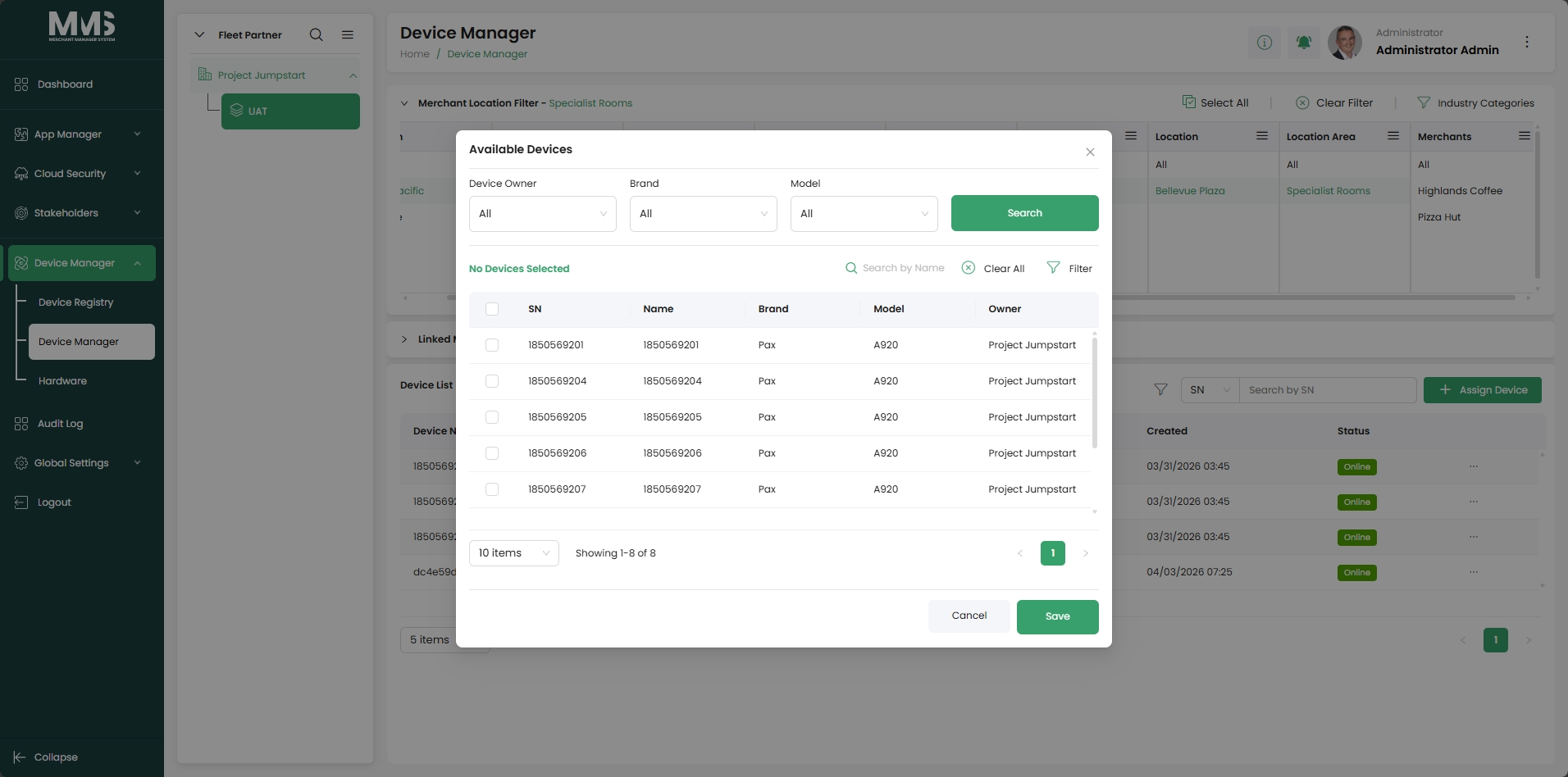
| Assign Device | p.30 | §3.2.4 | shipped | device-manager-assign-device |
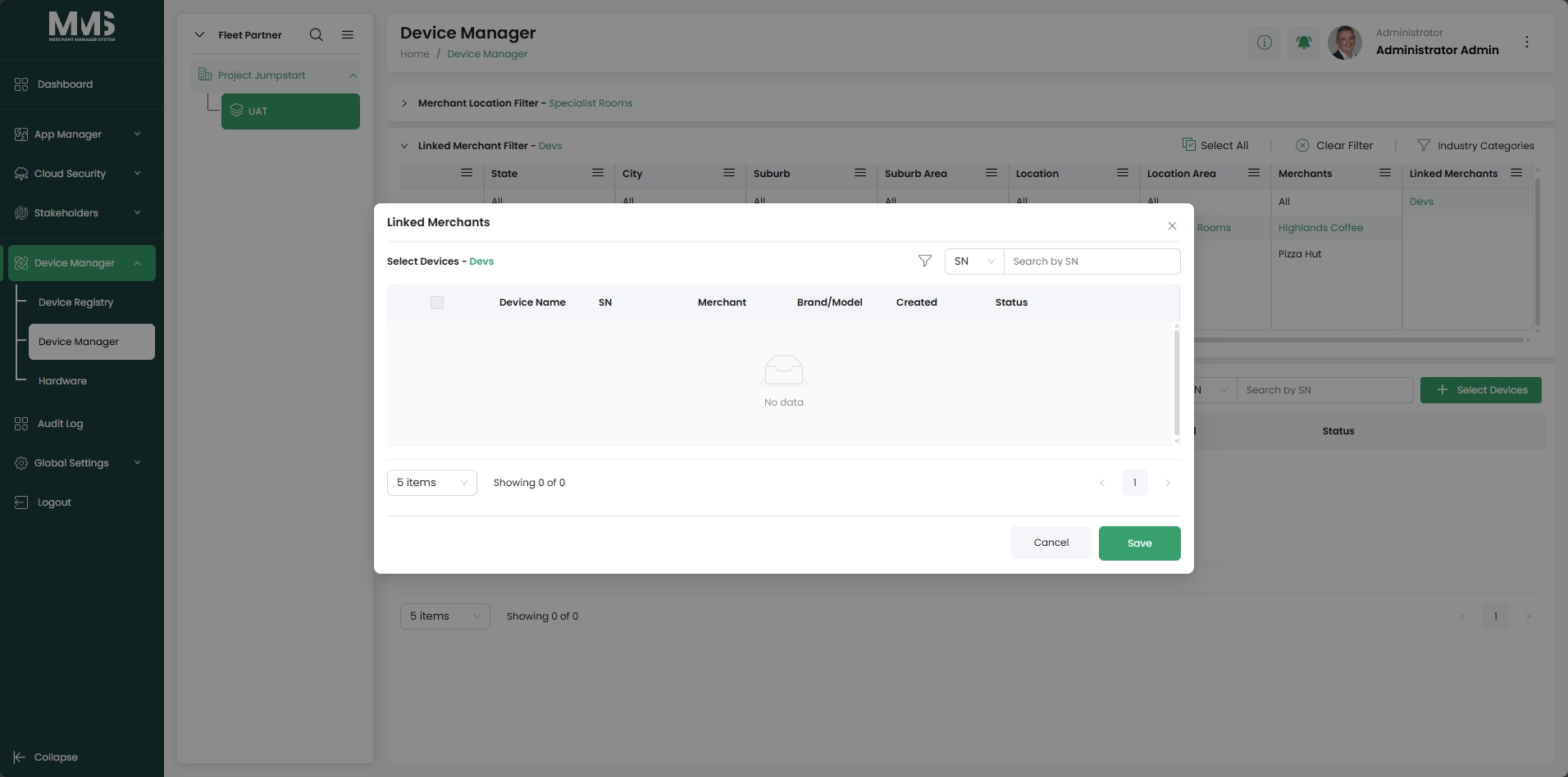
| Select Linked Merchant Device | (new) | §3.2.5 | shipped | device-manager-select-linked-merchant |
| Device Setup | p.37–48 | §3.2.6 | shipped | device-manager-device-setup |
Device lifecycle flow¶
Register (Device Registry)
  → Assign to Location (Assign Device §a)
    → Assign to Merchant (Assign Device §b)
      → Configure (Device Setup)

Alternative path (Linked Merchant Filter):
  → Create Linked Merchant Group (Linked Merchants)
    → Select Devices for Group (Select Linked Merchant Device)
Hardware Management (p.49) — Completed¶
Master data reference layer; all Device Registry devices must conform to these definitions. - Brand (e.g. Pax, Verifone, Ingenico), Model, OS Version, Firmware Version, Cradle Firmware Version.
Out of scope¶
Creating apps/firmware artifacts — see app-manager. Bulk template changes across devices — see bulk-changes.
Acceptance criteria¶
Product (E2E)¶
- [x] Register devices (manual, MAXSTORE API, CSV) conforming to hardware definitions.
- [x] Assign devices to location then merchant.
- [x] Create and manage Linked Merchant Groups.
- [x] Select devices for a Linked Merchant Group.
- [x] Per-device setup: dashboard, app/firmware, update tasks, templates, backups, logs, geo, settings.
- [x] Hardware master data: brand, model, OS, firmware, cradle firmware.
- [ ] Location Tree — Merchant Location Filters (end-to-end experience complete).
Frontend¶
- [ ] Device Manager and Device Setup UI match Figma for registry, assignment, and setup flows.
- [ ] Location Tree UI supports browsing/filtering by hierarchy when BE APIs are ready.
Backend¶
- [ ] Device registry, assignment, setup, and hardware master data APIs implemented and secured.
- [ ] Location Tree APIs support the filters and hierarchy required by the UI.
Done together¶
- [ ] FE + BE deployed to staging; sample device goes through full lifecycle (register → assign → configure) including Location Tree once implemented.
Linked pages¶
- ../specs/mms-features-v2.5
- ../specs/mms-userguide-v2.5 — User Guide §3
- app-manager — app/firmware versions and App Templates
- stakeholders — companies/merchants that devices are assigned to
- bulk-changes — bulk amendments and template assignment to devices
- global-setup — file cleanup policy governs backups/logs retention
Screenshots¶
Status history¶
- 2026-05-27 — ingested from features doc v2.5; most sub-modules "Completed", Location Tree "In Progress (Merchant Location Filters)" → in-development
- 2026-06-03 — converted to index page; 7 sub-pages created (including 2 new features: Linked Merchants §3.2.3, Select Linked Merchant Device §3.2.5); lifecycle flow documented from
raw/specs/MMS_UserGuide_v2.5.0.0.docx§3