Cloud Security¶
Source PDF page(s): 12–15 (of raw/specs/MMS features v2.5.pdf)
User Guide section: §5 (of raw/specs/MMS_UserGuide_v2.5.0.0.docx)
Summary: Reusable role-based permission templates (e.g. manager, operator) that define allowed cloud actions and manageable devices, assignable to users with optional per-user restrictions.
Owner: Martin (project lead — confirm feature owner)
Status: shipped
Why¶
Configuring permissions per user does not scale. Reusable templates give consistent, role-based access control across a company or group. See MMS Features v2.5 §3.
What¶
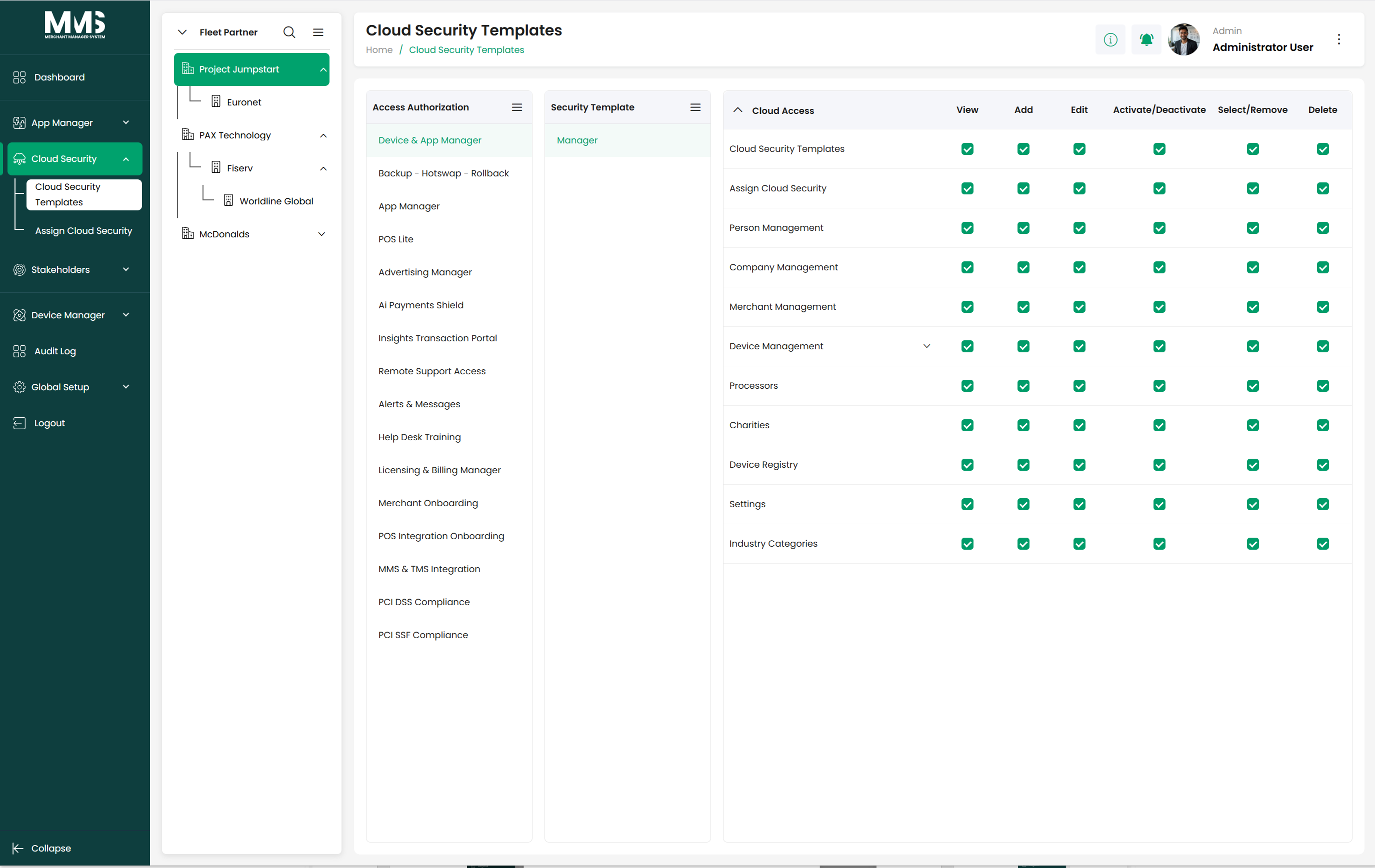
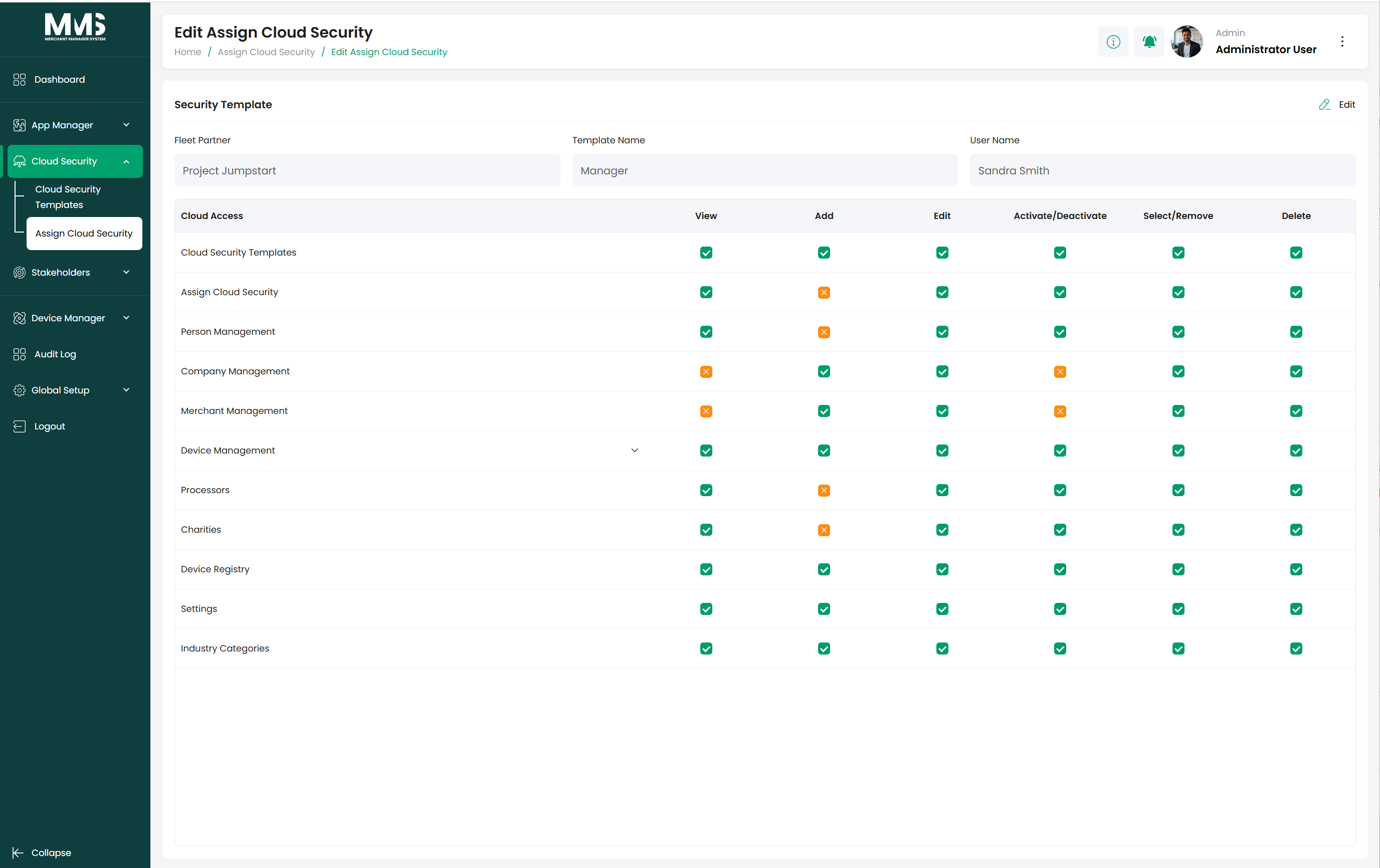
Cloud Security Template (p.12) — Completed¶
- Create role-based permission templates at company or group level.
- Define allowed actions across cloud modules and system functions.
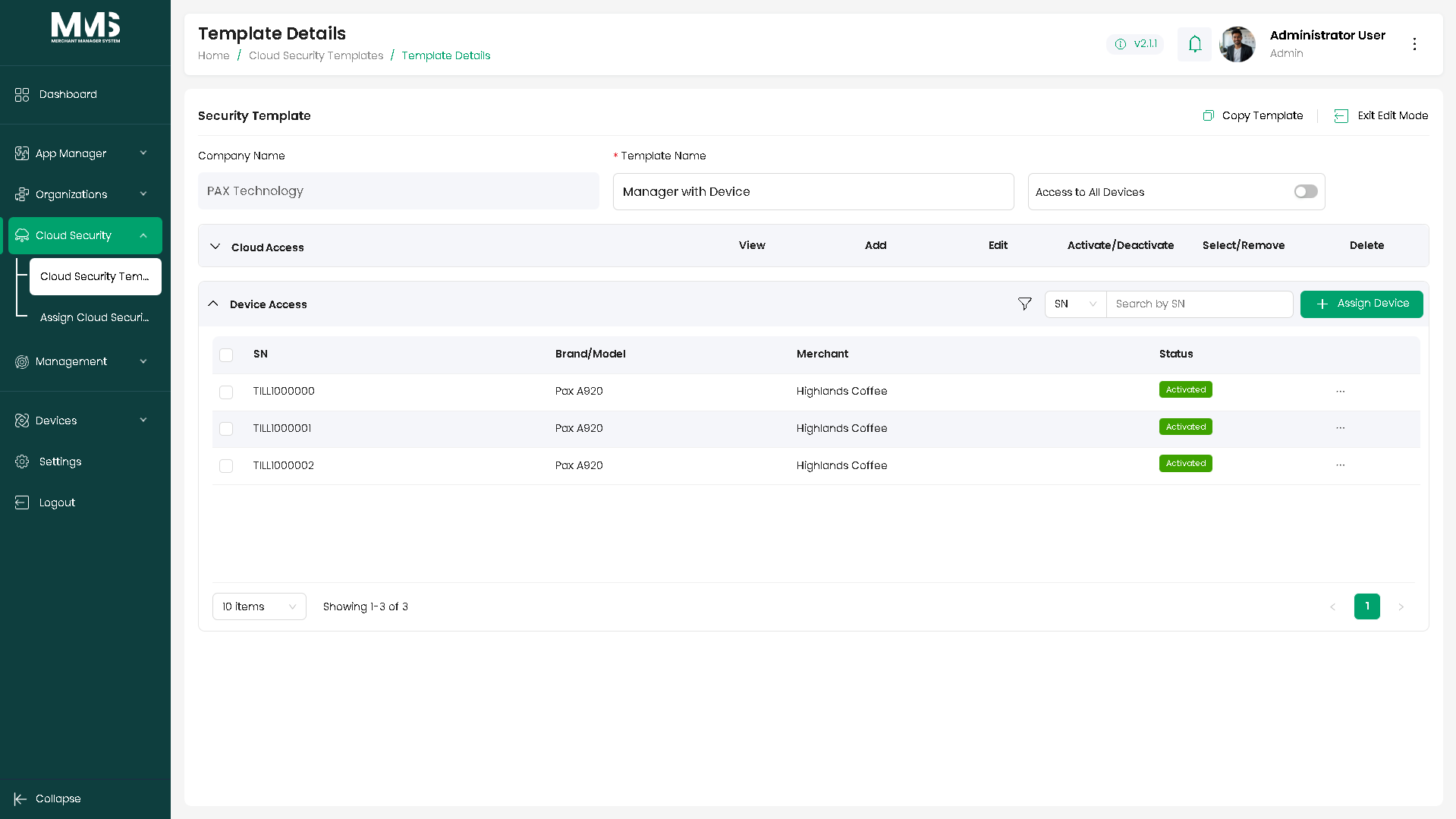
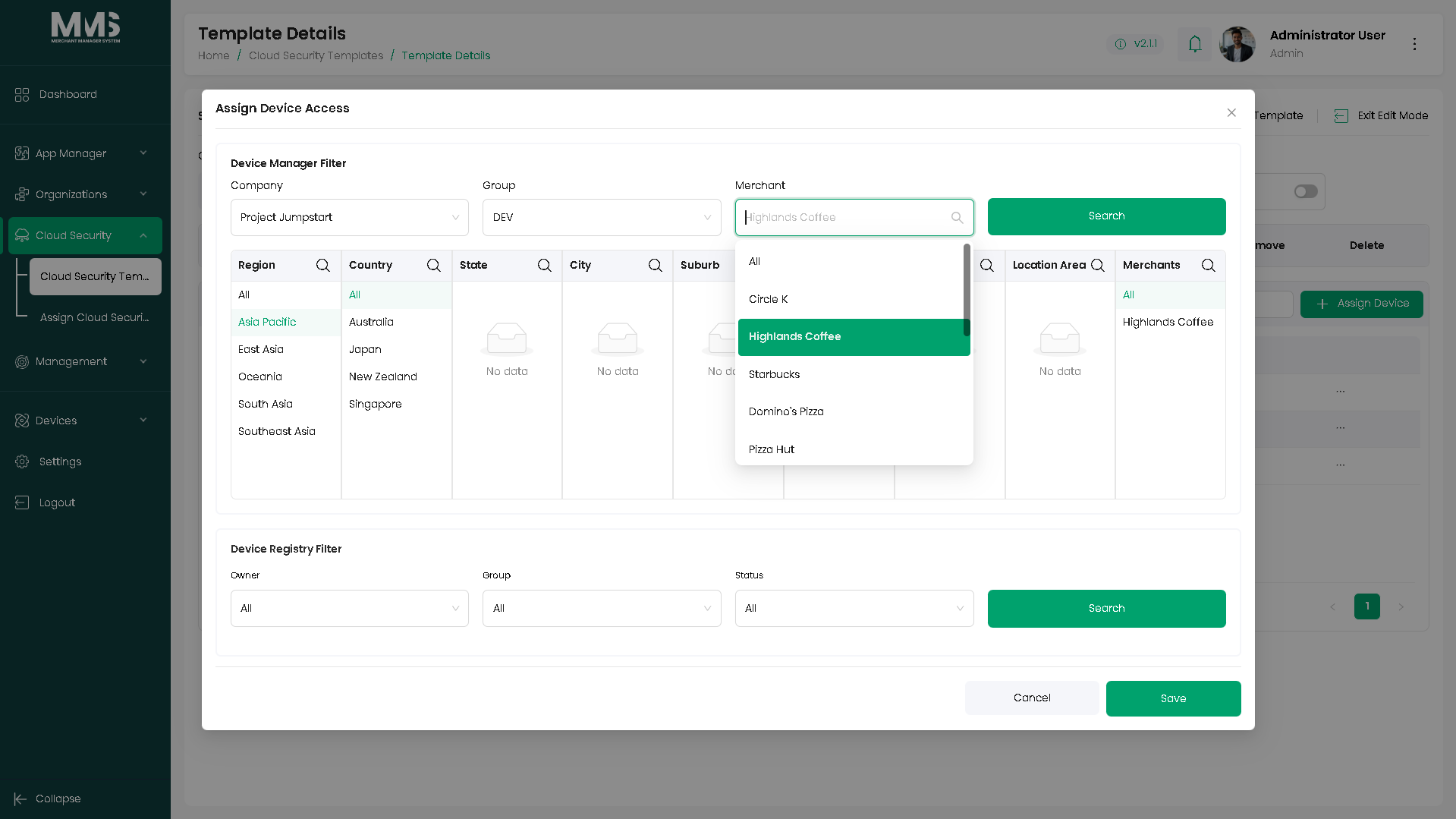
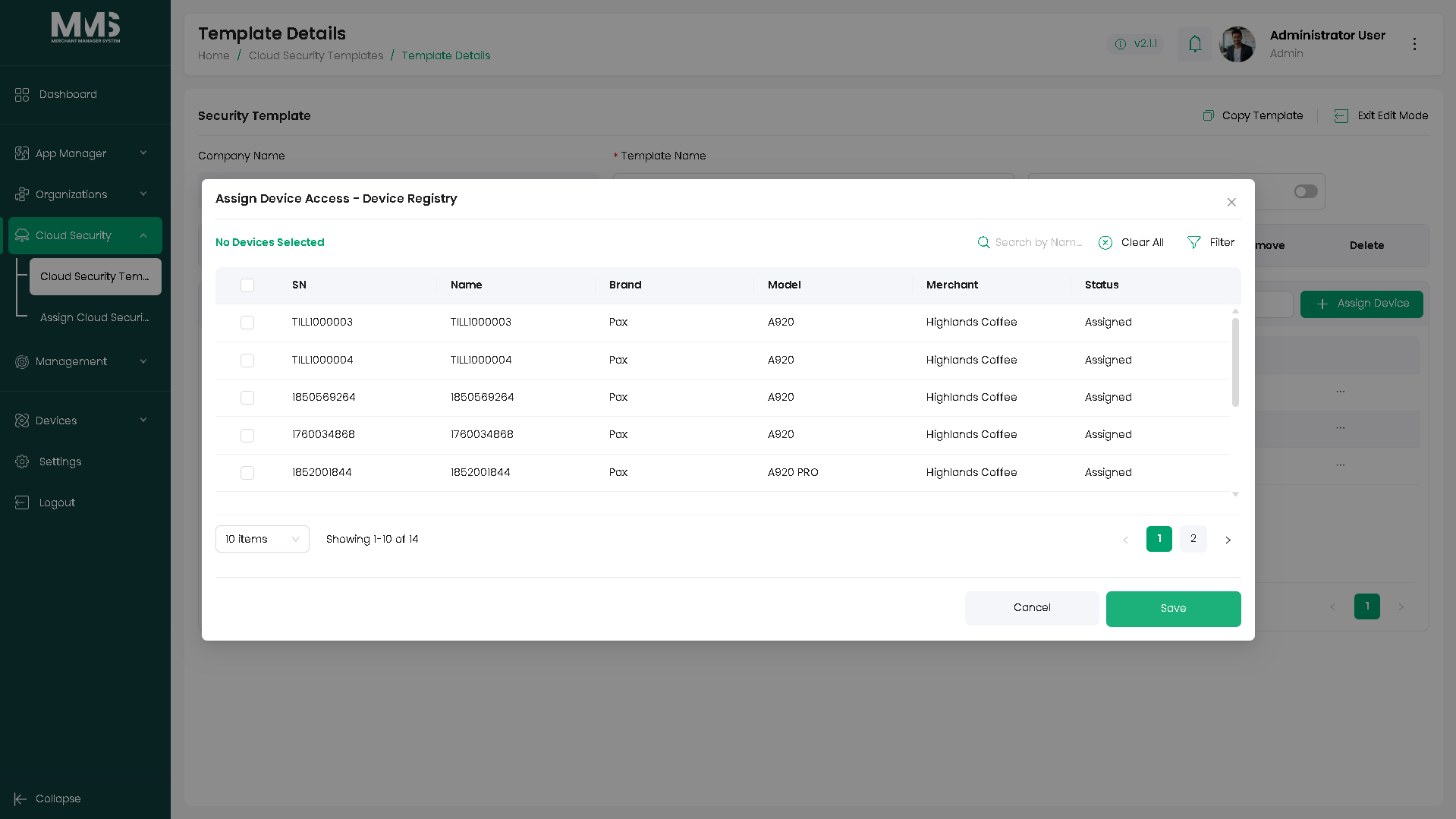
- Restrict or grant access to specific devices within the assigned scope.
- Simplify onboarding and permission management through reusable templates.
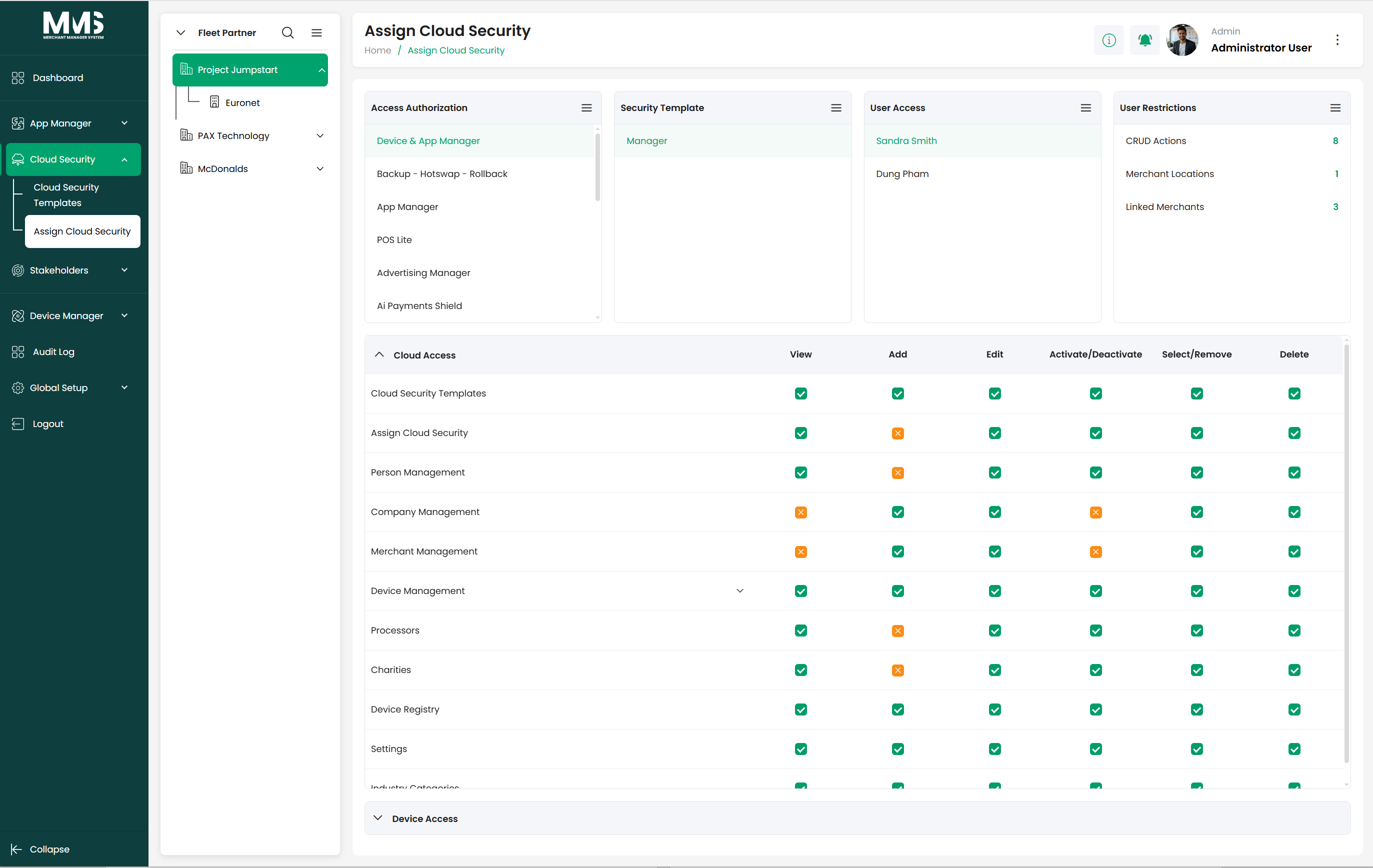
Assign Cloud Security – Restrict Access (p.14) — Completed¶
- Assign security templates to users within a selected company.
- Apply predefined role-based permissions across cloud modules and device management.
- Support bulk user assignment.
- Apply optional per-user restrictions on top of the template:
- Limit specific actions or modules.
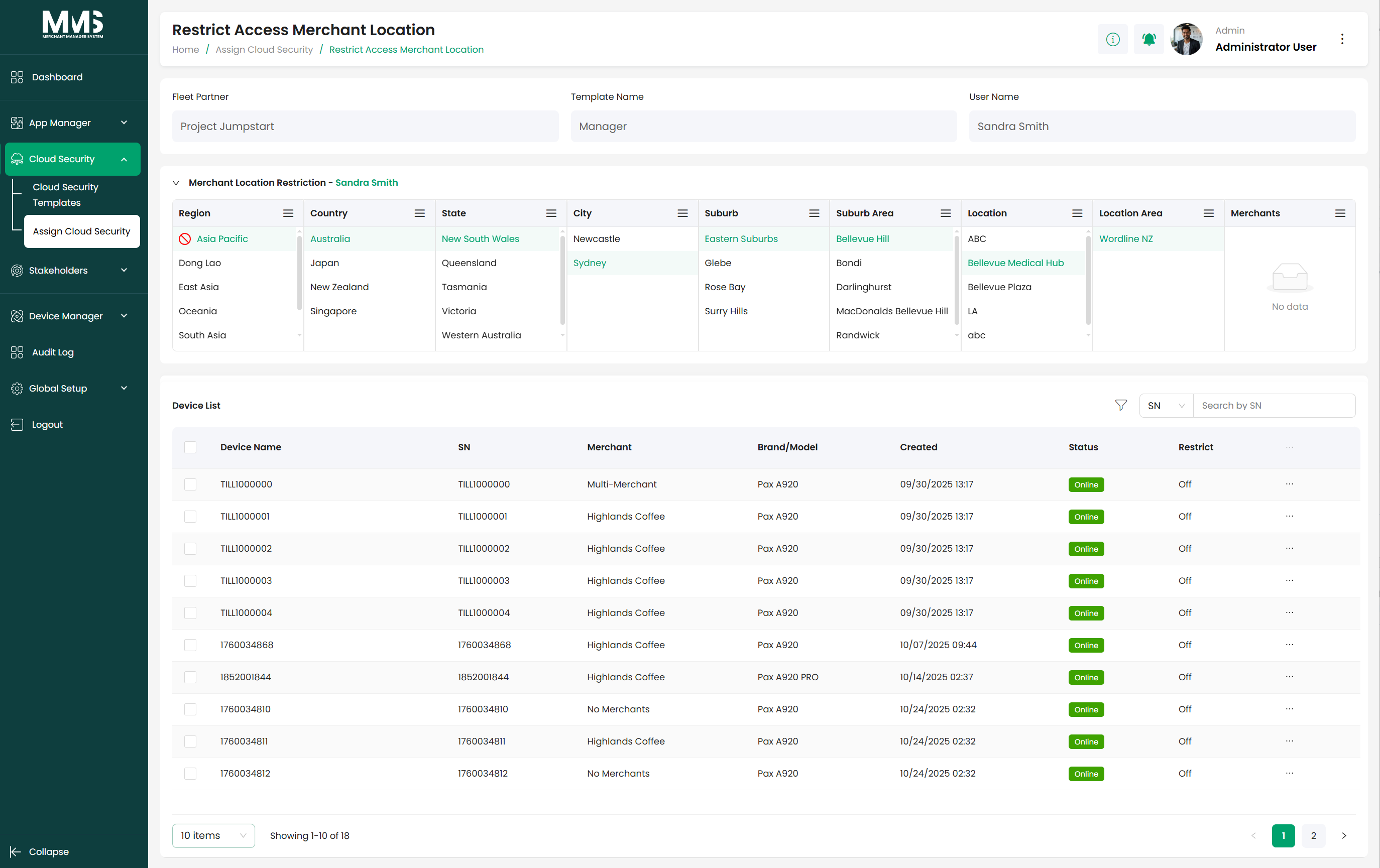
- Restrict access to certain Merchant Locations.
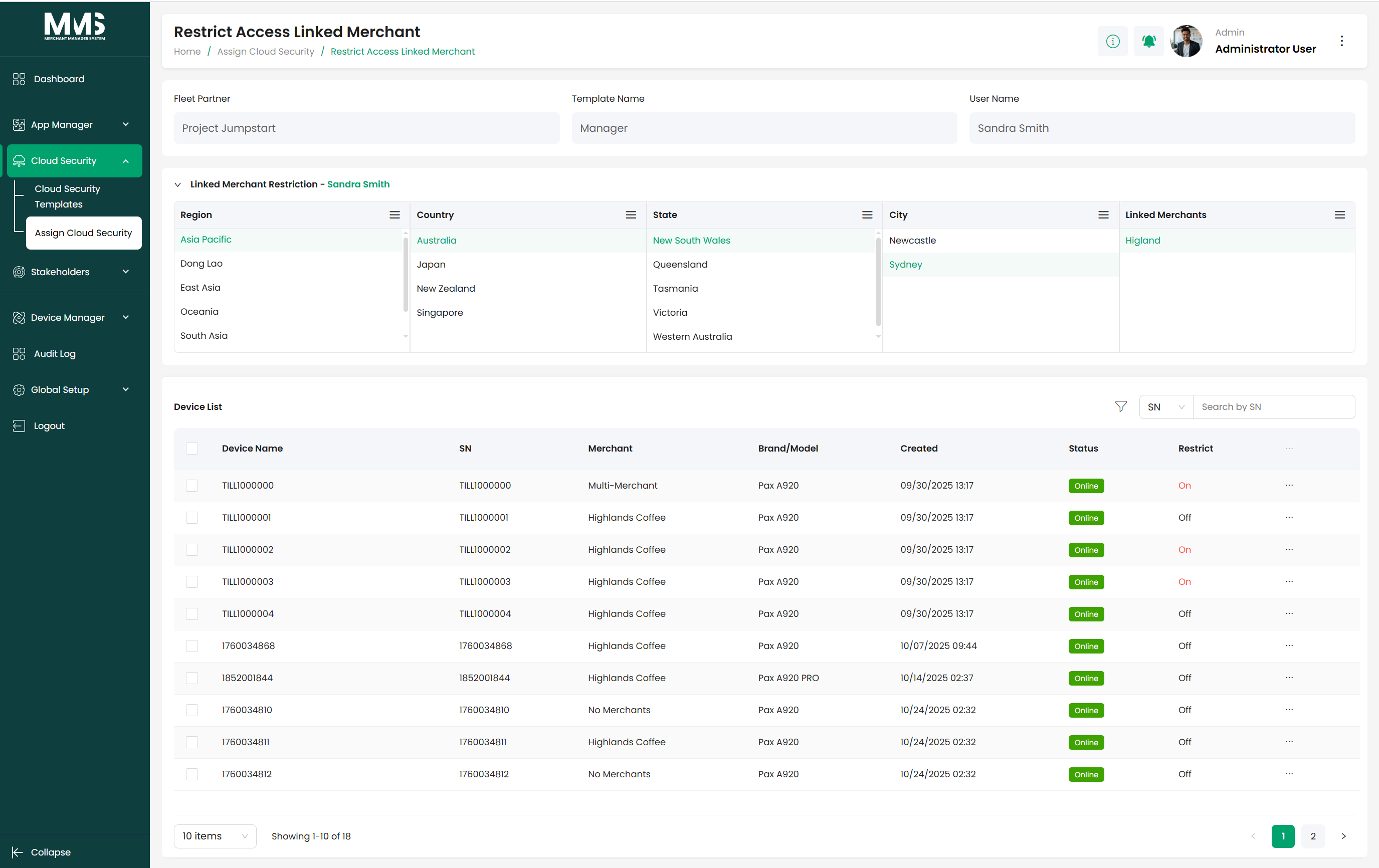
- Restrict access to specific Linked Merchant Groups.
- Automatically enforce template permissions (with restrictions) when users log in.
Steps¶
5.1 Create a Cloud Security Template¶
- View the list of existing templates.
- Click Create Security Template.
- Enter template information (Template Name, setup permissions).
- Define allowed actions:
- Access to specific cloud modules.
- Permissions for system functions.
- Click Save.
- Select an existing template to view or update details.
5.2 Assign Cloud Security — Restrict Access¶
- Select a Company — the system loads all Security Templates defined for that company.
- Choose the Security Template to apply.
- Select one or more Users of the company.
Users must be previously set up in Company → Company User (see stakeholders-company).
- Optionally restrict permissions for the selected users:
- Limit specific actions or modules.
- Restrict access to certain Merchant Locations.
- Restrict access to specific Linked Merchant Groups (see device-manager-linked-merchants).
- Click Assign.
- Confirm the assignment.
- Upon next login, the users inherit template permissions with any applied restrictions.
Out of scope¶
Authentication itself (login/OTP) — see login-user-authentication.
Acceptance criteria¶
- [x] Create role-based permission templates at company/group level.
- [x] Define cloud-module actions and device-scope restrictions.
- [x] Assign templates to users, including in bulk, with optional per-user restriction overrides.
- [x] Permissions (with restrictions) auto-enforced on login.
Linked pages¶
- ../specs/mms-features-v2.5
- ../specs/mms-userguide-v2.5 — User Guide §5
- login-user-authentication — permissions inherited at login
- stakeholders — Person records receive security templates
- stakeholders-company — users must be set up in Company before assignment
- device-manager-linked-merchants — Linked Merchant Groups can be restricted here
Screenshots¶
Status history¶
- 2026-05-27 — ingested from features doc v2.5 (Template + Assign both "Completed") → shipped
- 2026-06-03 — step-by-step flows and Restrict Access details (Merchant Locations, Linked Merchant Groups) added from
raw/specs/MMS_UserGuide_v2.5.0.0.docx§5