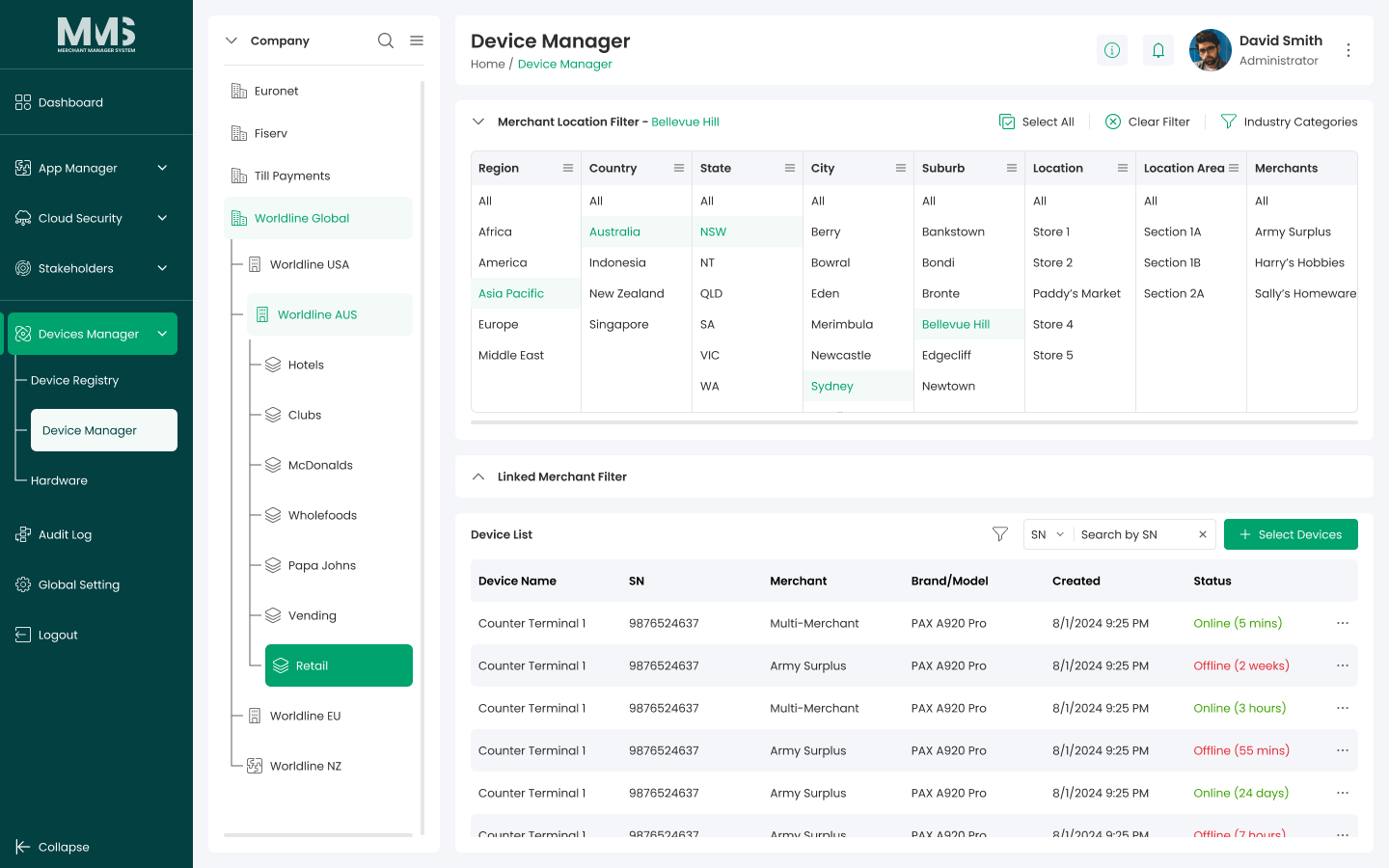
Company Tree¶
Source PDF page(s): 31 (of raw/specs/MMS features v2.5.pdf)
User Guide section: §3.2.1 (of raw/specs/MMS_UserGuide_v2.5.0.0.docx)
Summary: Manage the hierarchical structure of companies, subsidiaries, and groups — the organizational backbone used for access control, device visibility, and device assignment scoping.
Status: shipped
Why¶
The company tree determines organizational scope: which users can see which devices, and which devices can be assigned to which entities. Changes to the hierarchy affect both access and device management. See ../specs/mms-features-v2.5 §5 and ../specs/mms-userguide-v2.5 §3.2.1.
What¶
- Hierarchical structure of companies, subsidiaries, and groups.
- Controls access, visibility, and device assignment scope.
- Groups are leaf nodes — they cannot contain child entities.
Steps¶
Create a new entity in the tree¶
- Navigate to the Company Tree page.
- View the hierarchical structure of companies, subsidiaries, and groups.
- Select the parent node (e.g., a company or subsidiary).
- Click Add to create a new child entity.
- Enter the required information for the new entity.
- Click Save to add it to the hierarchy.
Update an existing entity¶
- Select the node to view or update.
- Edit entity information as needed.
- Click Save.
Browse the tree¶
- Use the tree structure to locate specific companies or groups.
- Apply the hierarchy when assigning users or devices.
Notes¶
- Groups cannot contain child entities — they are always leaf nodes in the tree.
- The company tree defines organizational structure and relationships.
- Changes to the hierarchy may affect user access permissions and device assignment scoping.
Linked pages¶
- device-manager — parent overview page
- ../specs/mms-userguide-v2.5 — User Guide §3.2.1
- ../specs/mms-features-v2.5 — Features doc §5
- stakeholders-company — company records managed here
- device-manager-assign-device — uses company tree for assignment scoping
Screenshots¶
Status history¶
- 2026-05-27 — capabilities ingested from features doc v2.5 (Company Tree "Completed") → shipped
- 2026-06-03 — step-by-step user guide added from
raw/specs/MMS_UserGuide_v2.5.0.0.docx§3.2.1; page split fromdevice-manager.md