Assign Device¶
Source PDF page(s): 30 (of raw/specs/MMS features v2.5.pdf)
User Guide section: §3.2.4 (of raw/specs/MMS_UserGuide_v2.5.0.0.docx)
Summary: Assign registered devices to a location, then link them to specific merchants — a two-step assignment flow managed within Device Manager.
Status: shipped
Why¶
Device assignment connects a registered device to the organizational hierarchy (location → merchant). Assignment must happen in two stages: location first, then merchant. See ../specs/mms-features-v2.5 §5 and ../specs/mms-userguide-v2.5 §3.2.4.
What¶
- Assign registered devices to a specific location and location area.
- After location assignment, link individual devices to merchants.
- Both assignments are managed from the Device Manager page.
Steps¶
Step 1 — Assign a device to a location¶
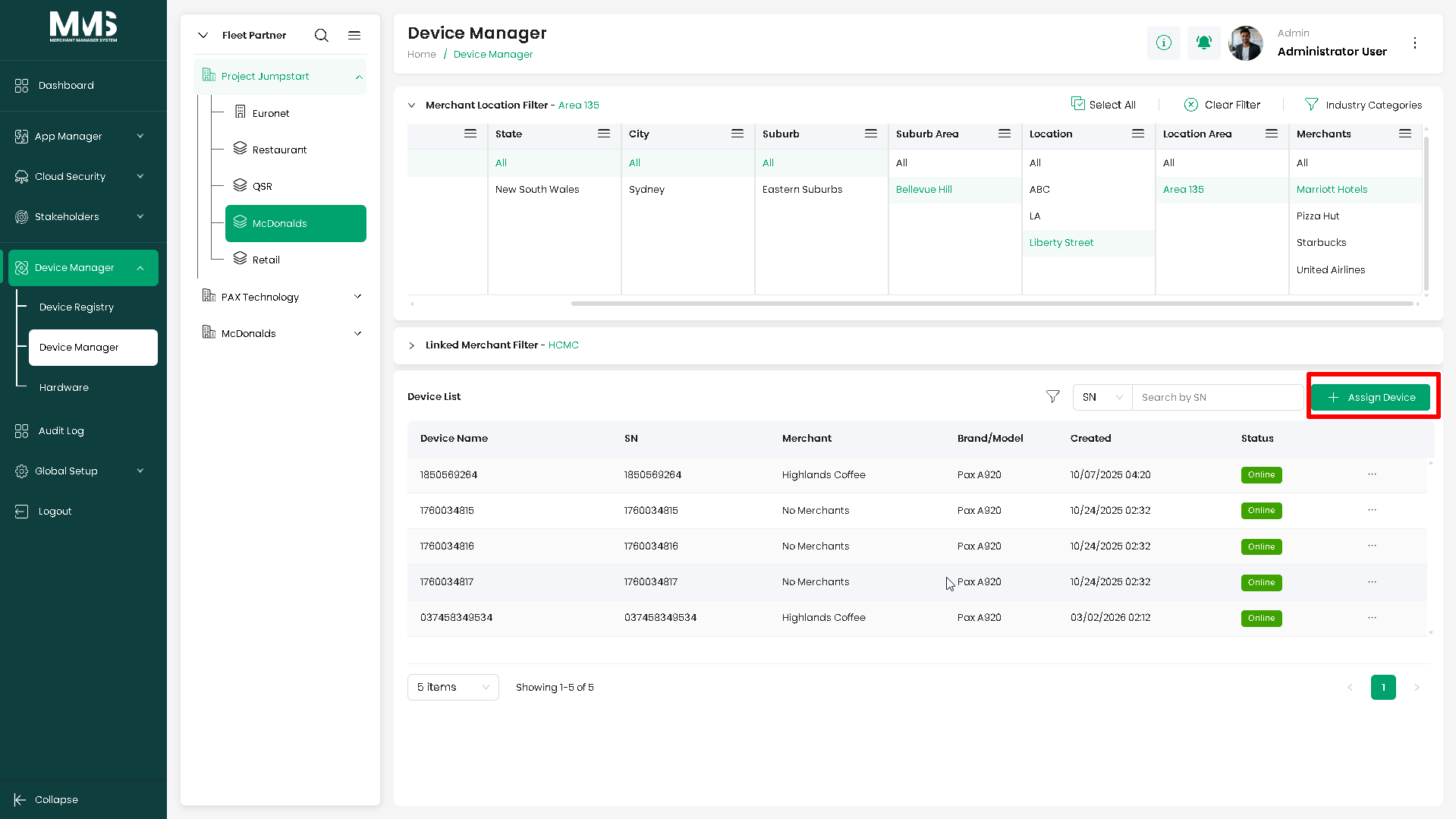
- Navigate to the Device Manager page.
- Select the desired Location and Location Area.
- Click the Assign Device button.
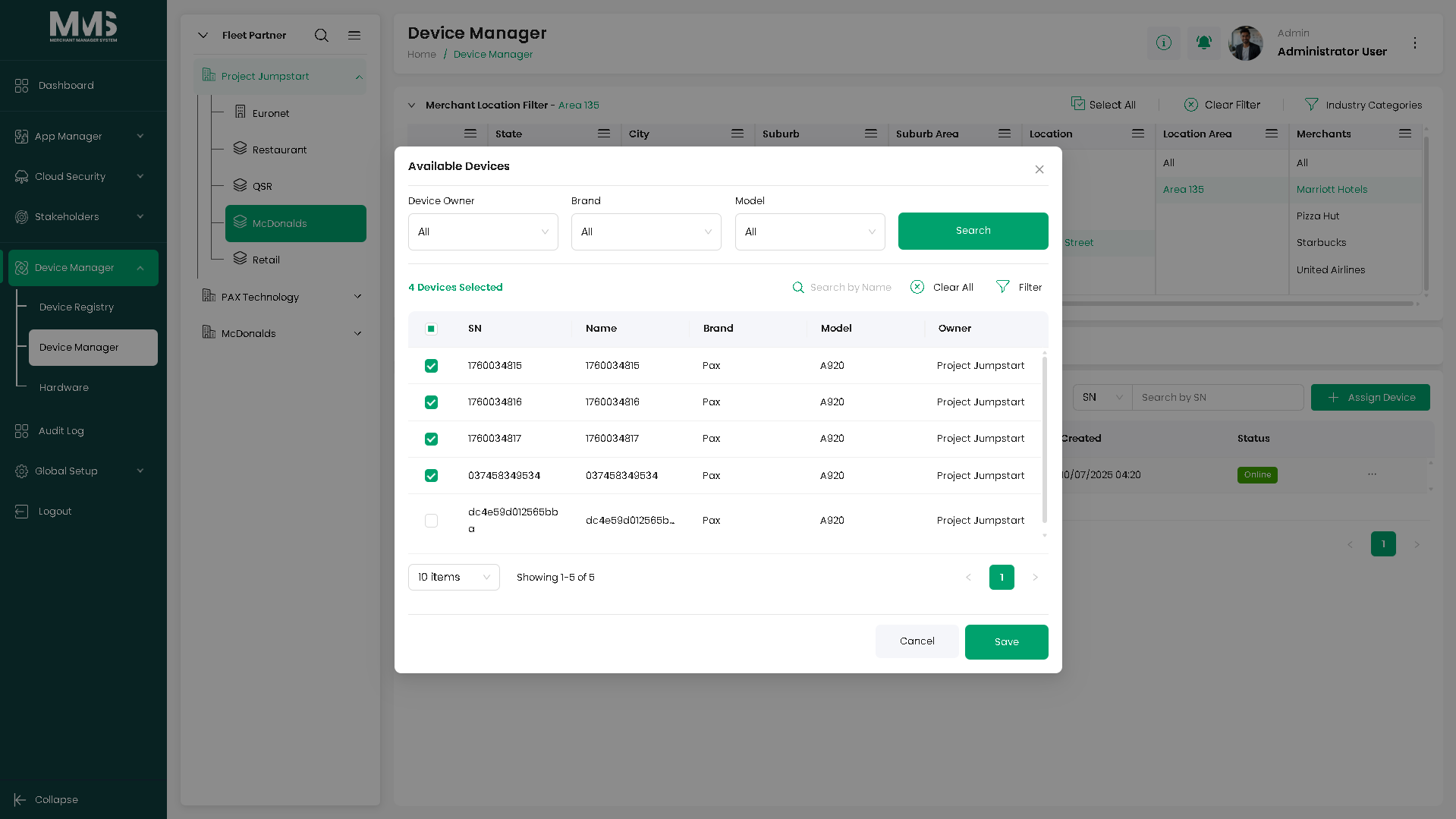
- The Assign Device modal opens.
- Filter devices based on desired conditions.
- Select the devices to assign by checking the corresponding checkboxes.
- Click Save to complete the assignment.
Step 2 — Assign a device to a merchant¶
Devices must already be assigned to a location before this step.
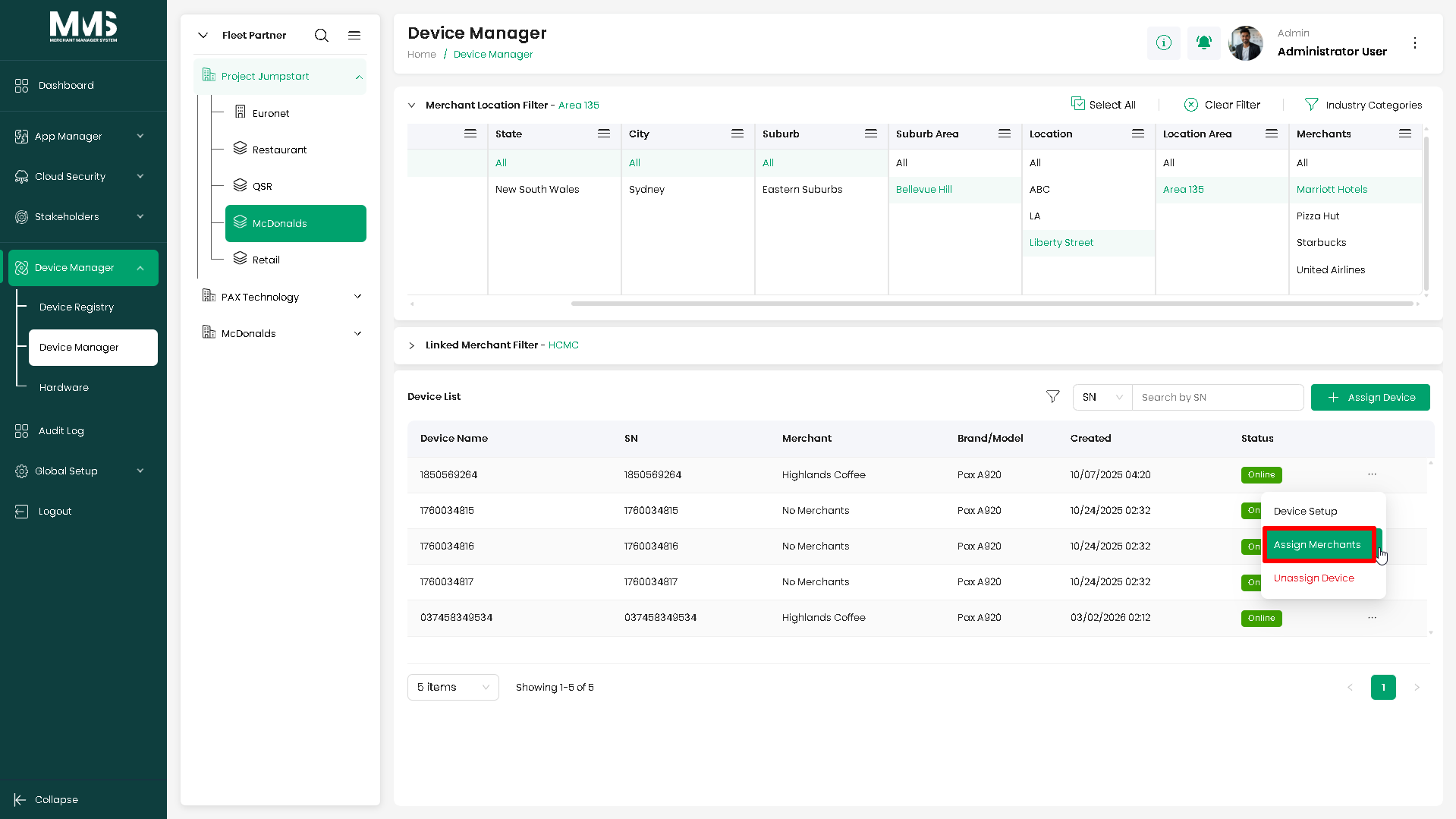
- In the device list, locate the desired device (already location-assigned).
- Click the options menu (
...) on the device row. - Select Assign Merchant.
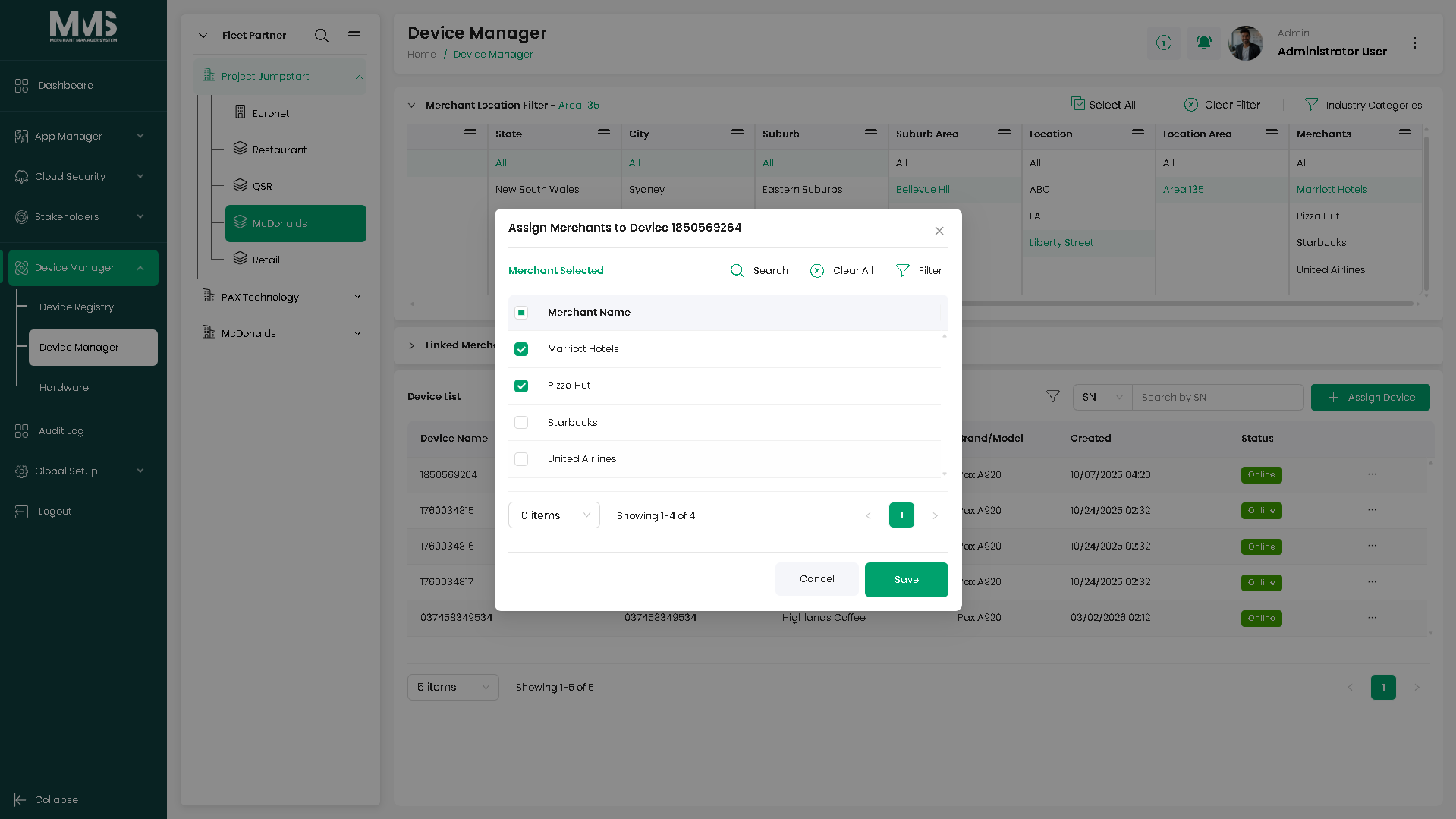
- The Assign Merchant modal opens.
- Select the merchant(s) to assign by checking the corresponding checkboxes.
- Click Save to complete the assignment.
Notes¶
- Location assignment must come before merchant assignment — unassigned devices cannot be linked to a merchant.
- Multiple merchants can be selected during merchant assignment if the device serves more than one.
Linked pages¶
- device-manager — parent overview page
- ../specs/mms-userguide-v2.5 — User Guide §3.2.4
- ../specs/mms-features-v2.5 — Features doc §5
- device-manager-registry — devices must be registered before assignment
- device-manager-location-tree — location selected during assignment
- device-manager-select-linked-merchant — alternative assignment path via Linked Merchant Filter
- stakeholders-merchant — merchants that devices are assigned to
Screenshots¶
Status history¶
- 2026-05-27 — capabilities ingested from features doc v2.5 (Device Manager "Completed") → shipped
- 2026-06-03 — two-step assignment flow documented from
raw/specs/MMS_UserGuide_v2.5.0.0.docx§3.2.4; page split fromdevice-manager.md